
Access CDE Manager
Alation Cloud Service Applies to Alation Cloud Service instances of Alation
Important
The CDE Manager is an add-on capability that requires additional license entitlement. Contact your Alation Account Manager for information about enabling it in your environment.
The Critical Data Element (CDE) Manager is accessible to all users, but capabilities depend on the user’s role:
Users with the Server Admin, Catalog Admin, Source Admin, Steward, or Composer roles can create, edit, and review CDE standards and CDEs.
Only Server Admins and Catalog Admins can delete CDEs.
Users with the Viewer or Explorer roles can view CDE Manager in read-only mode.
Once the CDE Manager is enabled in your Alation environment, users can access it directly from the left-side navigation.
To access the CDE Manager:
In the left-side navigation, click the CDE Manager icon. This opens the CDE Manager application.
Click the hamburger menu in the upper-left corner of the page. This expands the navigation panel and displays the main components of the CDE Manager:
Registry: A tabular view of all Critical Data Elements (CDEs) defined in the system, including their associated catalog metadata.
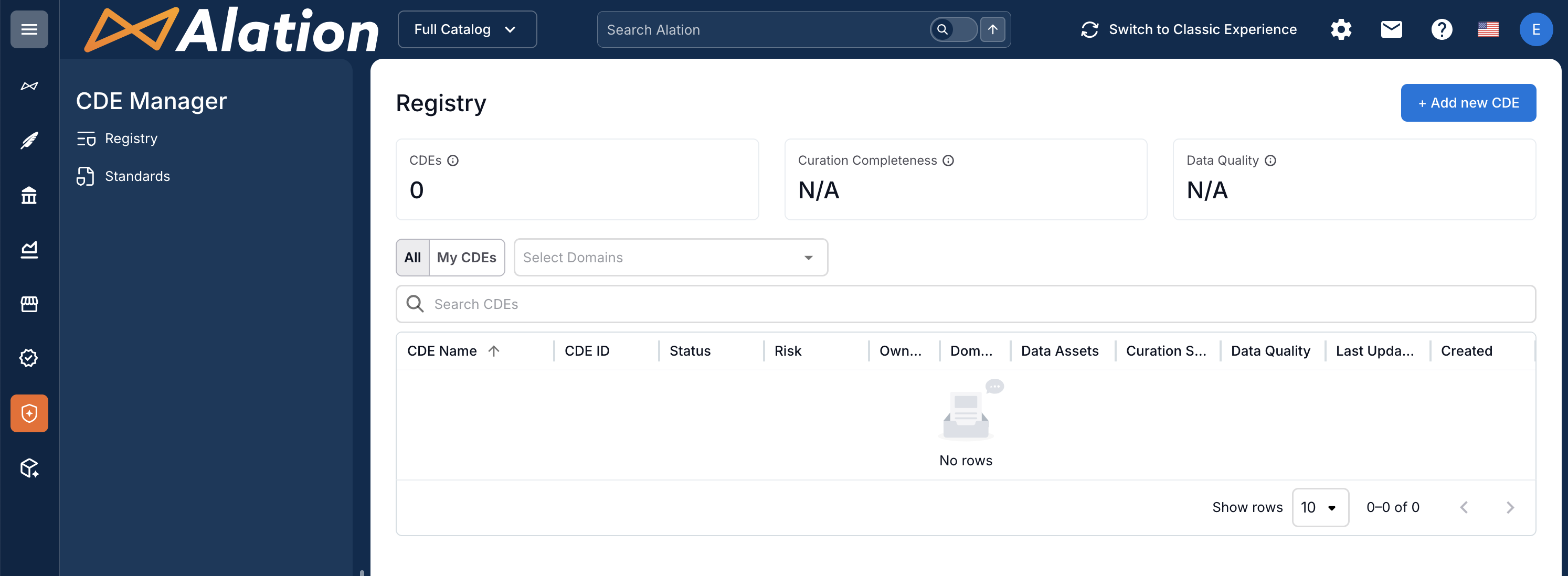
Standards: A tabular list of all CDE standards, with metadata describing each standard and its governance attributes.
After accessing the app, begin building your CDE program by creating CDE standards and then creating CDE registry entries.
Note
Both the creation of CDE standards and the creation of CDEs are AI-assisted workflows. The AI support simplifies and accelerates the management of your CDE inventory.
See next: