
Alation Analytics Top Contributors Report
Alation Cloud Service Applies to Alation Cloud Service instances of Alation
Customer Managed Applies to customer-managed instances of Alation
Available from version 2021.3
The Alation Analytics application includes a report on the most active users in the catalog — Top Contributors — on the Built In tab of the Alation Analytics Dashboard.
Note
To make the Built In tab available on the Alation Analytics Dashboard, a Server Admin must enable it in Admin Settings > Feature Configuration. For steps to enable it, see Enable Alation Analytics Top Contributors Report.
The Top Contributors report is a leaderboard listing the top ten contributors to the catalog. It is available to all admin roles: Server Admins, Catalog Admins, and Source Admins.
The contributor ranking is based on total points for the following actions:
Articles created (from 2020.3 to 2025.3.1)
Documents Created (starting in 2025.3.2): Users who have created the most Documents (glossary terms).
Folders Created (starting in 2025.3.2): Users who have created the most Folders (glossaries).
Flags populated (excludes deleted flags)
Queries published (excludes pre-packaged queries that is shipped with Alation Analytics)
Tags created (excludes deleted tags)
RDBMS data sources curated (excludes hard-deleted data sources)
BI sources curated
Tables Curated (excludes tables from hard-deleted data sources): Number of tables with a title or description.
Columns Curated (excludes columns from hard-deleted data sources): Number of columns with a title or description.
Schemas Curated (excludes schemas from hard-deleted data sources): Number of schemas with a title or description.
Query Forms Executed (excludes execution on hard-deleted data sources): Number of times a Query Form was executed.
Note
Insufficient Data: If there is insufficient data for the selected date range on the Alation Analytics Dashboard, the report bases the ranking on the few contributions retrieved from the database. In this case, a warning icon appears next to the report title. It informs users that the report data may be insufficient to be representative.
Hard-Deleted Data: The Top Contributors logic relies on active metadata in the Alation Analytics database. If a data source is hard-deleted from the catalog, all associated curation (titles, descriptions, tags on tables/columns) is removed from the analytics database. Consequently, users may see a decrease in their contributor scores if the objects they curated are permanently deleted.
The Top Contributors report has two views: Showcase and Table. Use the toggle on the top right of the report area to switch between the views.
Showcase
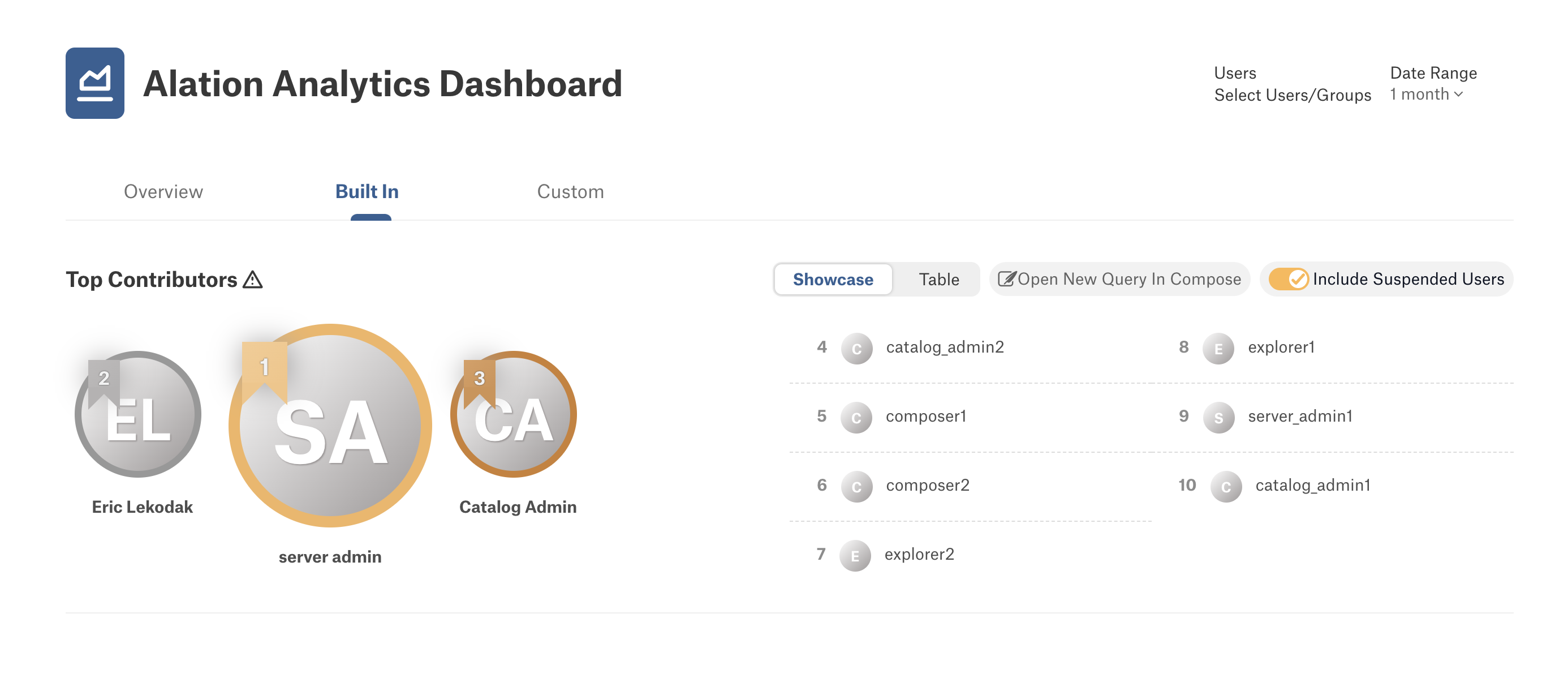
The Showcase view displays the top ten contributor names, with the top three most active users represented with their avatars.
Table
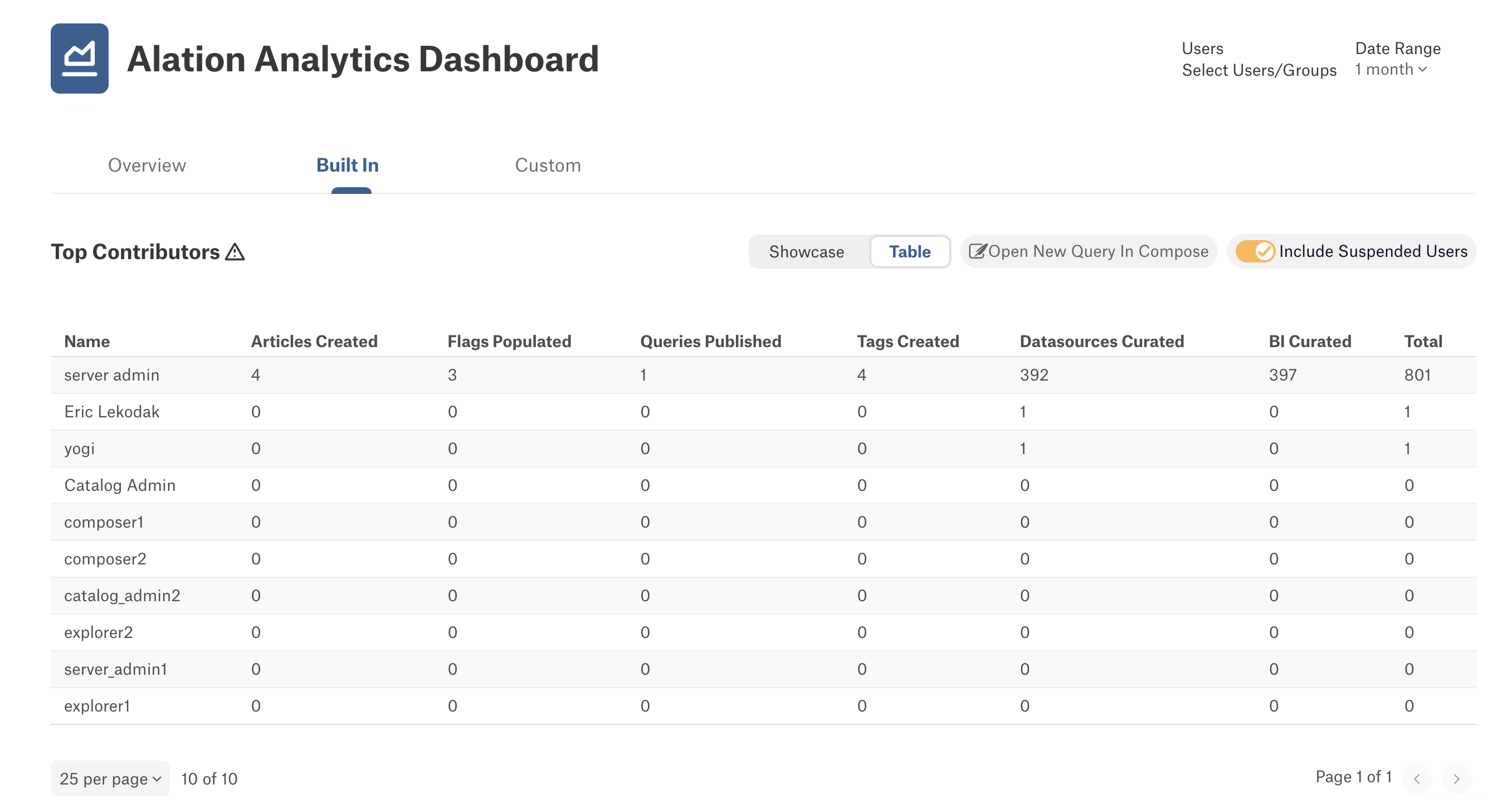
The Table view displays the top ten contributors in the tabular format.
Open New Query in Compose
You can view the SQL query that is used to populate the Top Contributors report in Compose. Click the Open New Query In Compose button for the report to open the query in Compose. The Users/Groups and Date Range filters that may be currently set on the report will also be transferred to the query as it opens in Compose.
Note
The query that opens in Compose is a new query that shows the SQL behind the Top Contributors report. Each time you click the Open New Query In Compose button, a new query is created based on the Top Contributors report. Modifying this query will not modify the actual report as it appears on the Alation Analytics Dashboard.
Include Suspended Users
Available from version 2024.3.5
You can toggle to exclude suspended users from the dashboard calculations. This ensures that only active users are considered for the final top contributors list.
Important
This setting is unique to each user login session and persists in your next login sessions too for improving efficiency and consistency.
Filter Options
The Top Contributors report can be filtered by Users/Groups and Date Range. These filter options are located on the top right of the leaderboard:
Select Users/Groups — Select specific users or groups whose contributions to the catalog you wish to view.
Note
Filtering by groups is available from version 2022.3.
Date Range — Select a date range from a list or a set a custom date range for the report data.
Important
When you apply a filter to the Top Contributors report, the filter will also apply to the report if it appears on Alation homepages. These filters are unique to each user login session and persists in your next login sessions too for improving efficiency and consistency.
Top Contributors Report on Homepage
Catalog or Server Admins can add the Top Contributors report to Alation homepages to be viewed by all users or specific user roles. On how to add it to homepages, see Alation Analytics Leaderboard on Homepage.