
Configure Query Log Ingestion
Alation Cloud Service Applies to Alation Cloud Service instances of Alation
Customer Managed Applies to customer-managed instances of Alation
Enhanced Connector Enhanced connectors add extended capabilities and require a separate entitlement in addition to your Alation platform license.
Query Log Ingestion (QLI) extracts query history from MaxCompute to power Alation features such as Popularity, Top Users, Filter Information, and Join Information.
Overview
QLI uses the tenant-level SYSTEM_CATALOG.INFORMATION_SCHEMA.TASKS_HISTORY view to extract query history across all MaxCompute projects. This enables:
Feature |
Description |
|---|---|
Popularity |
Shows how frequently tables and columns are queried, helping users identify important data assets. |
Top Users |
Identifies the most active users querying specific tables, useful for data stewardship and impact analysis. |
Filter Information |
Shows which columns are commonly used in WHERE clauses, indicating important filter criteria. |
Join Information |
Shows which tables and columns are commonly joined together, revealing data relationships. |
Prerequisites
Before configuring QLI, ensure the following requirements are met:
RAM User Role:
The RAM user must be assigned the infoschema_admin role at the MaxCompute tenant level. This role grants read access to the SYSTEM_CATALOG.INFORMATION_SCHEMA schema.
To assign the role:
Log in to the Alibaba Cloud MaxCompute Console.
Navigate to Tenants > Users.
Find the RAM user and click Authorize.
Assign the
infoschema_adminrole.
Role Policy Details:
The infoschema_admin role includes the following permissions:
{
    "Statement": [{
            "Action": ["odps:Describe", "odps:Select"],
            "Effect": "Allow",
            "Resource": ["acs:odps:*:catalogs/system_catalog/schemas/information_schema/tables/*"]
        },
        {
            "Action": ["odps:List"],
            "Effect": "Allow",
            "Resource": ["acs:odps:*:catalogs/system_catalog/schemas/information_schema"]}
    ],
    "Version": "1"
}
Network Connectivity:
Ensure JDBC connectivity to the MaxCompute service endpoint (service.<region>.maxcompute.aliyun.com) on port 80 (HTTP).
Other Requirements:
The MaxCompute data source must be configured and connected successfully.
Metadata extraction (MDE) should be completed before running QLI to ensure tables are cataloged.
Configure QLI
To configure Query Log Ingestion:
On the MaxCompute data source Settings page, go to the Query Log Ingestion tab.
(Optional) In the QLI Target Project field, specify a MaxCompute project to use as the JDBC entry point for querying the tenant-level
SYSTEM_CATALOG.INFORMATION_SCHEMA.TASKS_HISTORYview. Leave this field blank to let the connector auto-detect a usable project.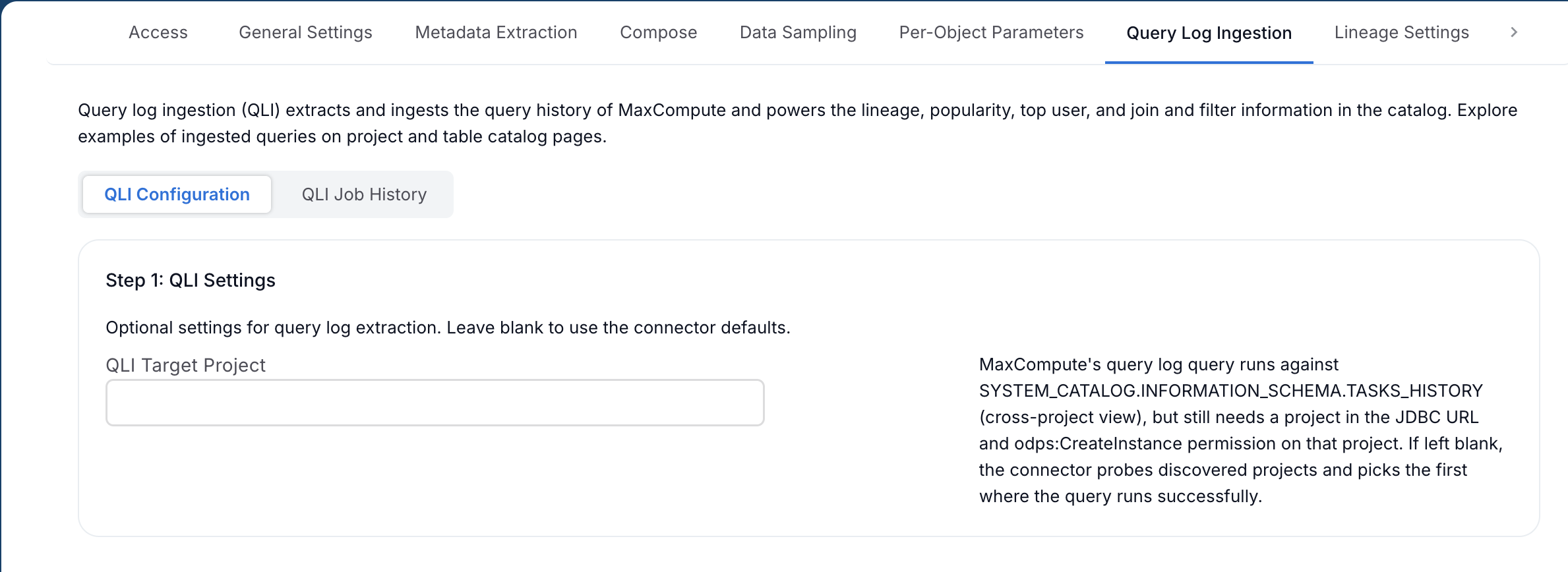
Available from MaxCompute OCF Connector version 1.0.10.
Although
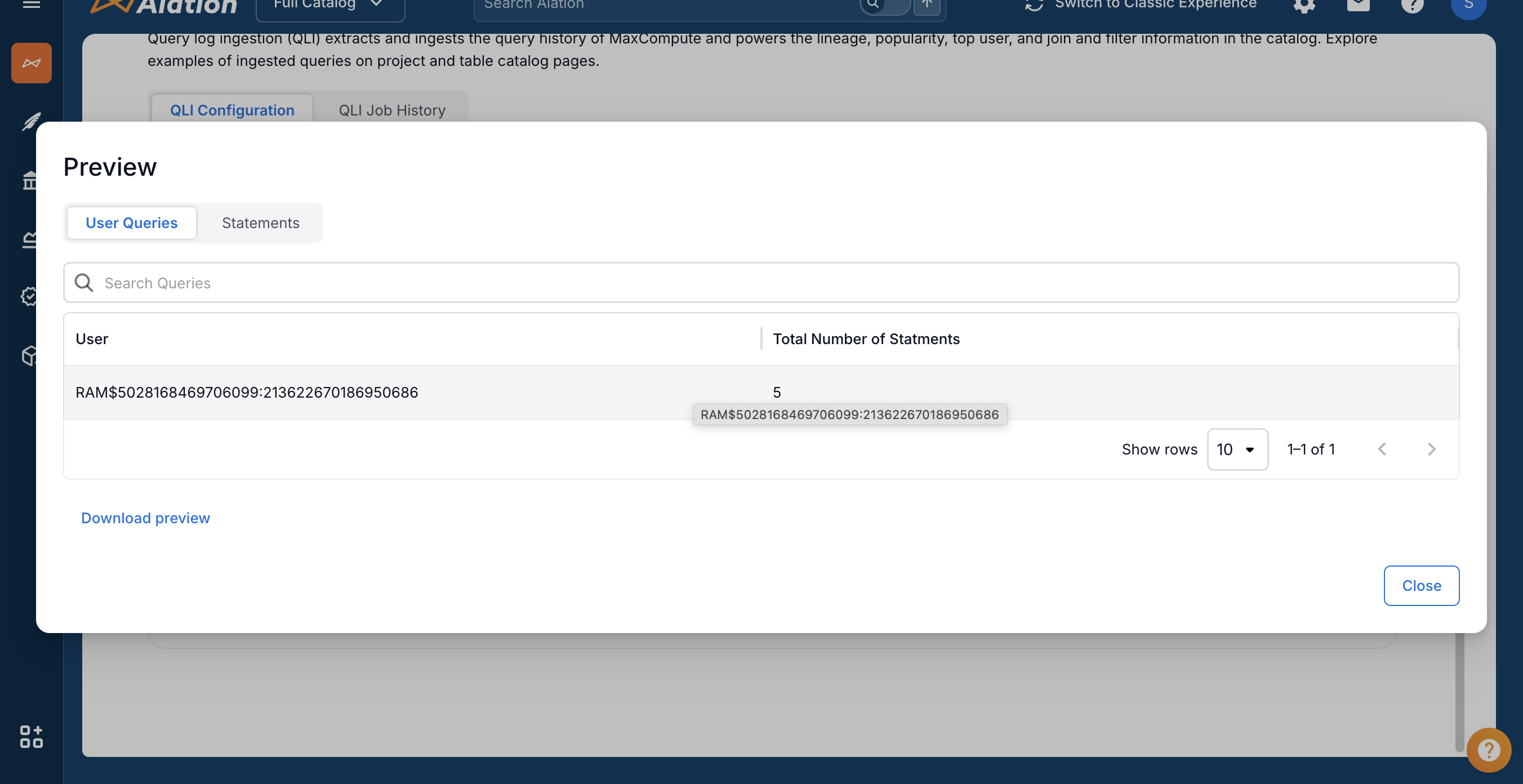
SYSTEM_CATALOG.INFORMATION_SCHEMA.TASKS_HISTORYis a tenant-level view, the JDBC connection still requires a project name in the URL, and the RAM user must haveodps:CreateInstanceon that project. If you leave QLI Target Project blank, the connector tries each discovered project in turn and selects the first one where the query runs successfully. Specify a project in this field if the RAM user lacksodps:CreateInstanceon some projects and you want to skip the probe.Under Step 1: QLI Preview, click Preview to test QLI connectivity and view sample query logs.
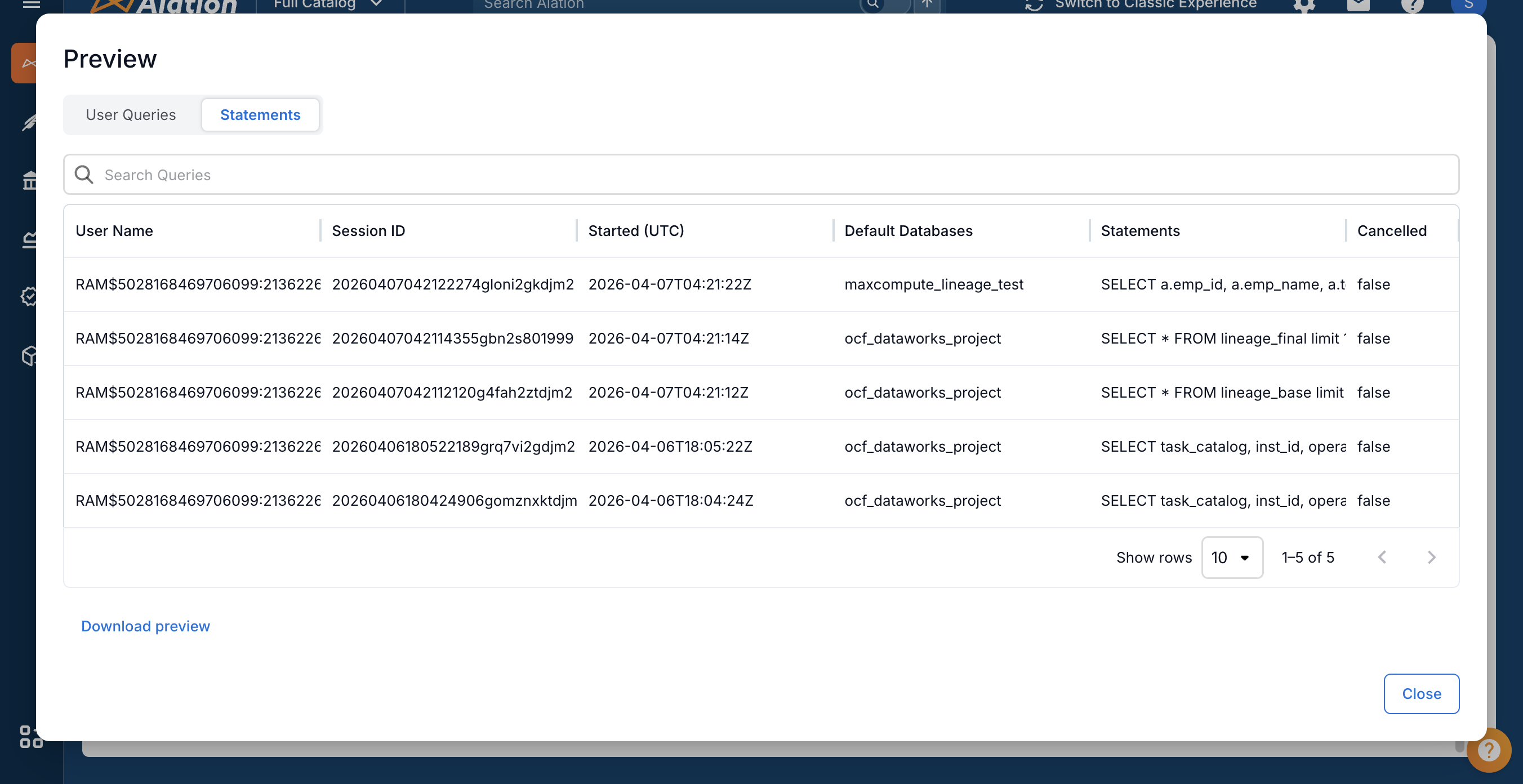
The preview dialog has two tabs:
User Queries tab: Shows users and their total number of statements.
Statements tab: Shows detailed query information including:
User Name
Session ID
Started (UTC)
Default Databases (project name)
Statements (SQL query text)
Cancelled status
Under Step 2: Run Extraction, configure the extraction settings:
Setting
Description
Date Range
The time period for query log extraction. Queries executed within this range will be ingested.
Query Limit
Maximum number of queries to extract. Use this to limit extraction time for large environments.
Click Run Extraction to start QLI.
To enable automated QLI, turn on Enable Automated Extraction and configure the schedule.
How QLI Works
The connector uses a tenant-level approach to extract query logs:
Tenant-Level Access: QLI queries the
SYSTEM_CATALOG.INFORMATION_SCHEMA.TASKS_HISTORYview, which contains query history across all MaxCompute projects in the tenant.Cross-Project Extraction: A single JDBC connection is used to query all projects, eliminating the need for project-by-project extraction.
SELECT Queries Only: Only SELECT statements are ingested to power popularity metrics. INSERT, CREATE, and DDL statements are excluded (lineage is handled separately by the DataWorks API).
Project Filtering: If you configured project filters in MDE, the same filters are applied to QLI results.
Query Used:
SELECT task_catalog, inst_id, operation_text, status, owner_name,
       start_time, end_time, task_type, cost_cpu, task_name
FROM SYSTEM_CATALOG.INFORMATION_SCHEMA.TASKS_HISTORY
WHERE ds >= '<start_date>' AND ds <= '<end_date>'  -- Date format: yyyyMMdd (e.g., 20260401)
AND task_type = 'SQL'
AND UPPER(SUBSTR(TRIM(operation_text), 1, 6)) = 'SELECT'
ORDER BY start_time DESC
Extracted Data
QLI extracts the following information for each query:
Field |
Description |
|---|---|
Query Text |
The SQL statement that was executed. |
User Name |
The RAM user who executed the query ( |
Project Name |
The MaxCompute project where the query was executed ( |
Start Time |
When the query started executing. |
End Time |
When the query finished executing. |
Duration |
Query execution time in seconds. |
Status |
Query status (Terminated, Cancelled, Failed). |
Instance ID |
Unique identifier for the query instance ( |
QLI Features in Alation
After QLI extraction completes, the following features become available in the Alation catalog:
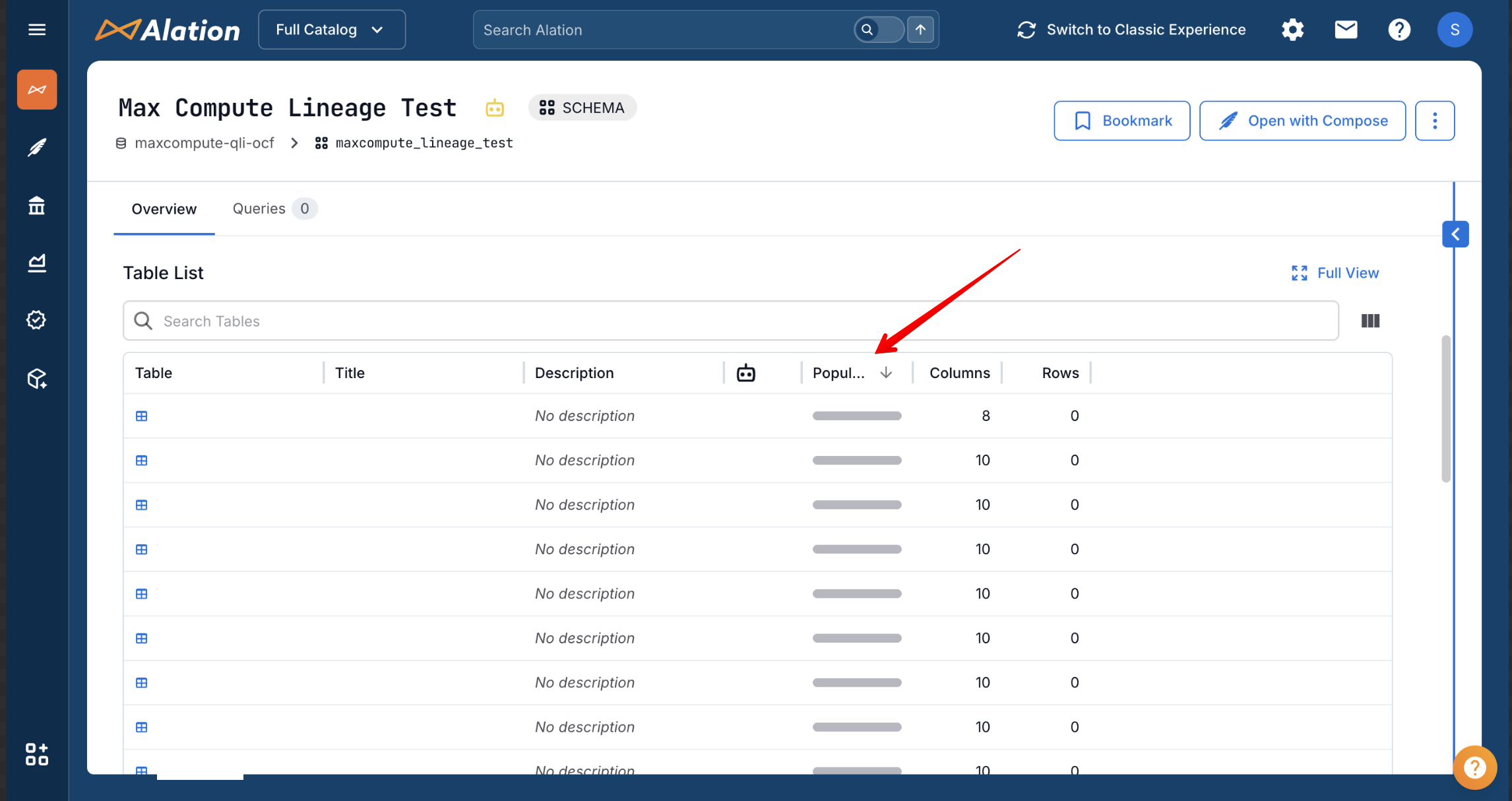
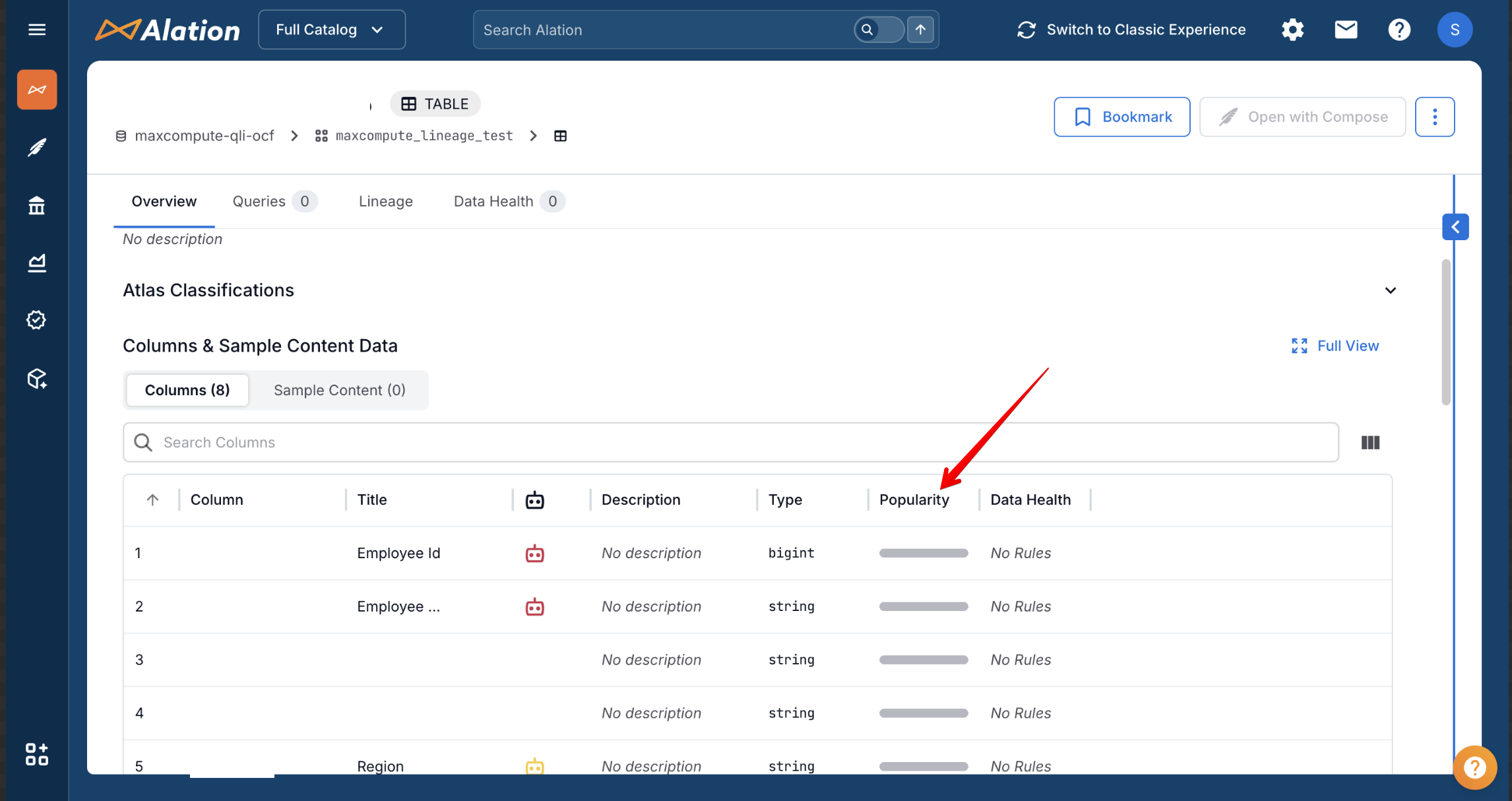
Popularity
Popularity metrics appear at schema, table, and column levels, showing how frequently each object is queried.
Schema-level popularity:
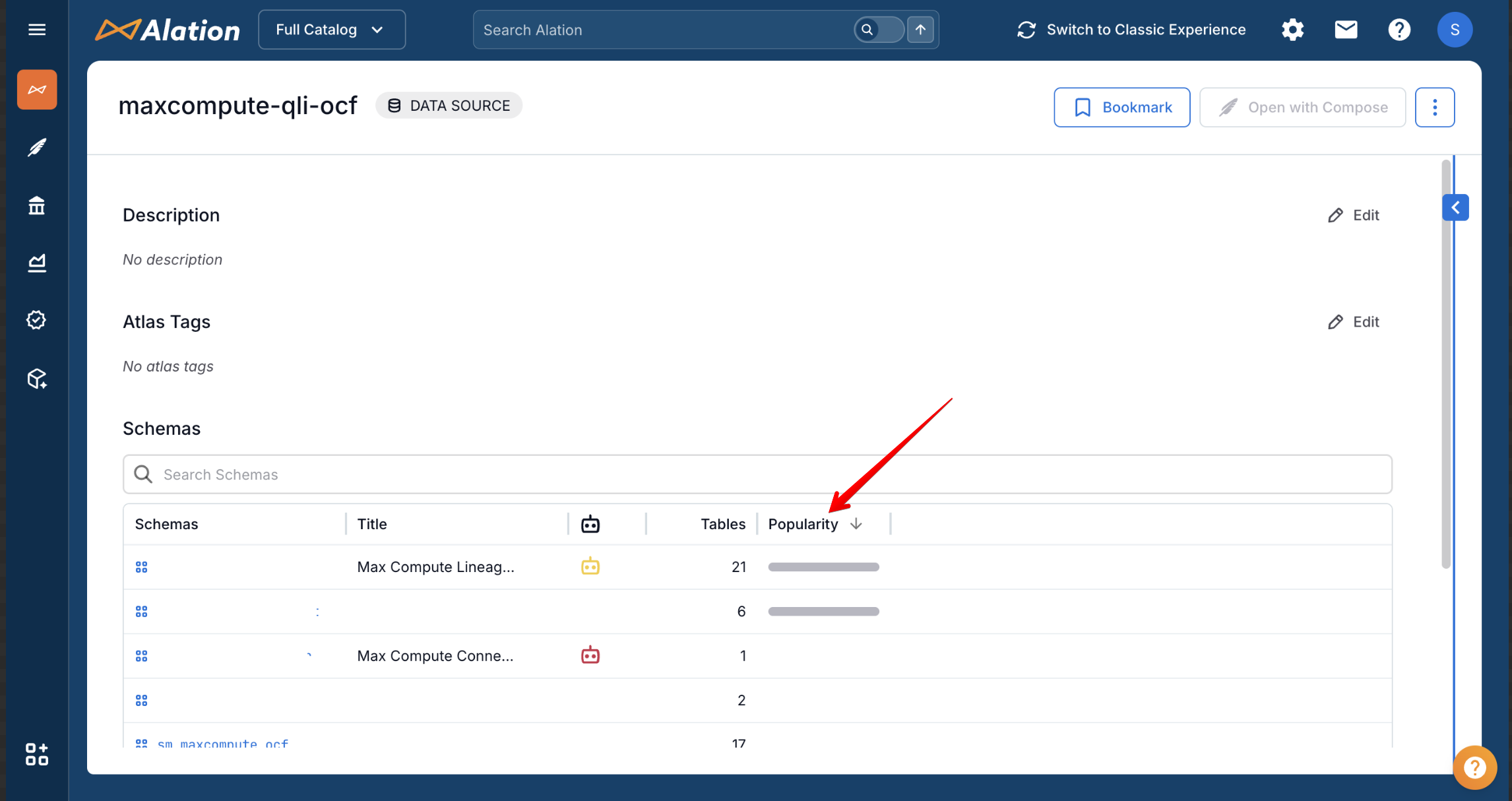
Table-level popularity:
Column-level popularity:
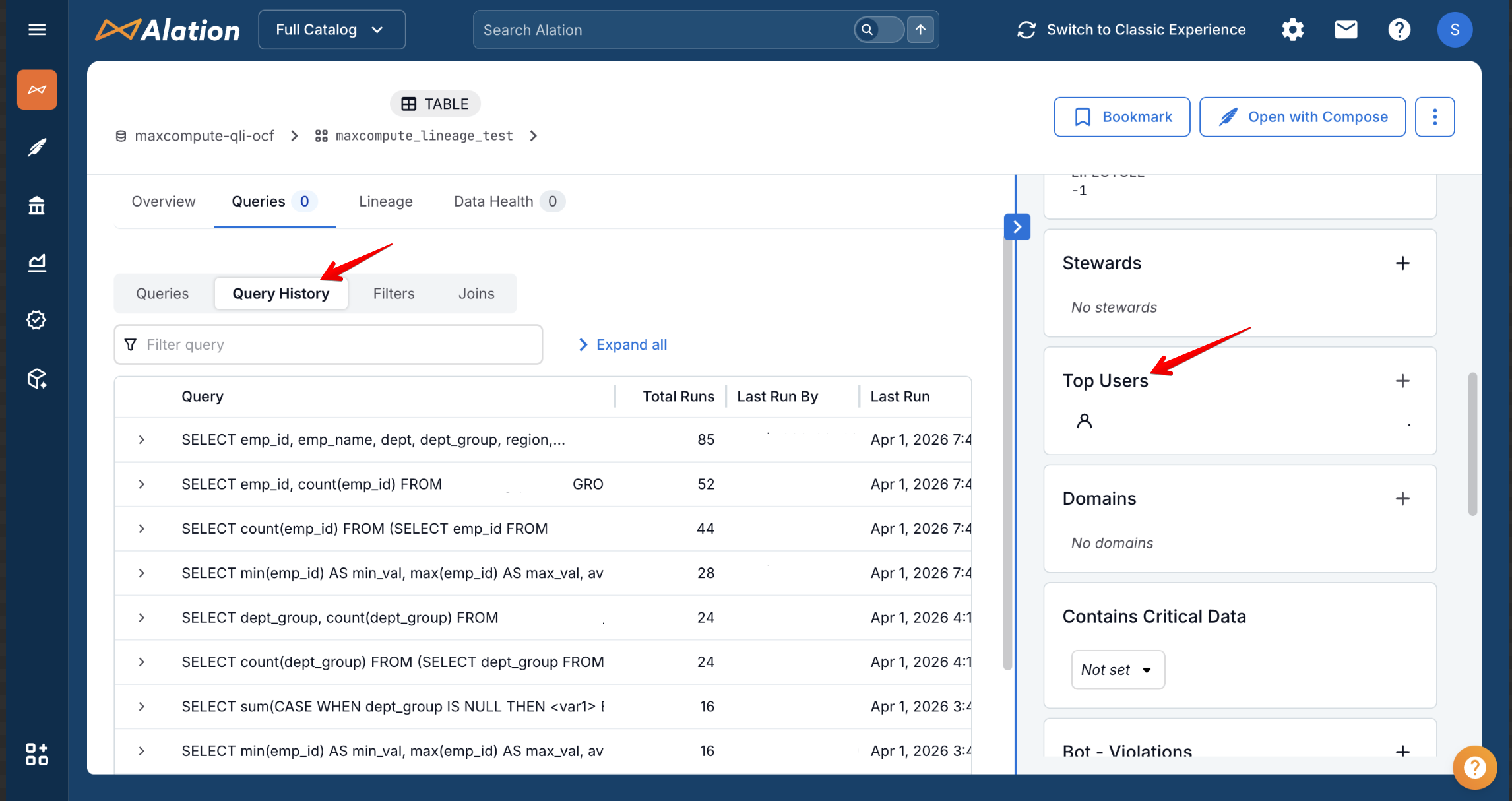
Query History and Top Users
The Queries tab on table pages shows query history with total runs, last run information, and top users.
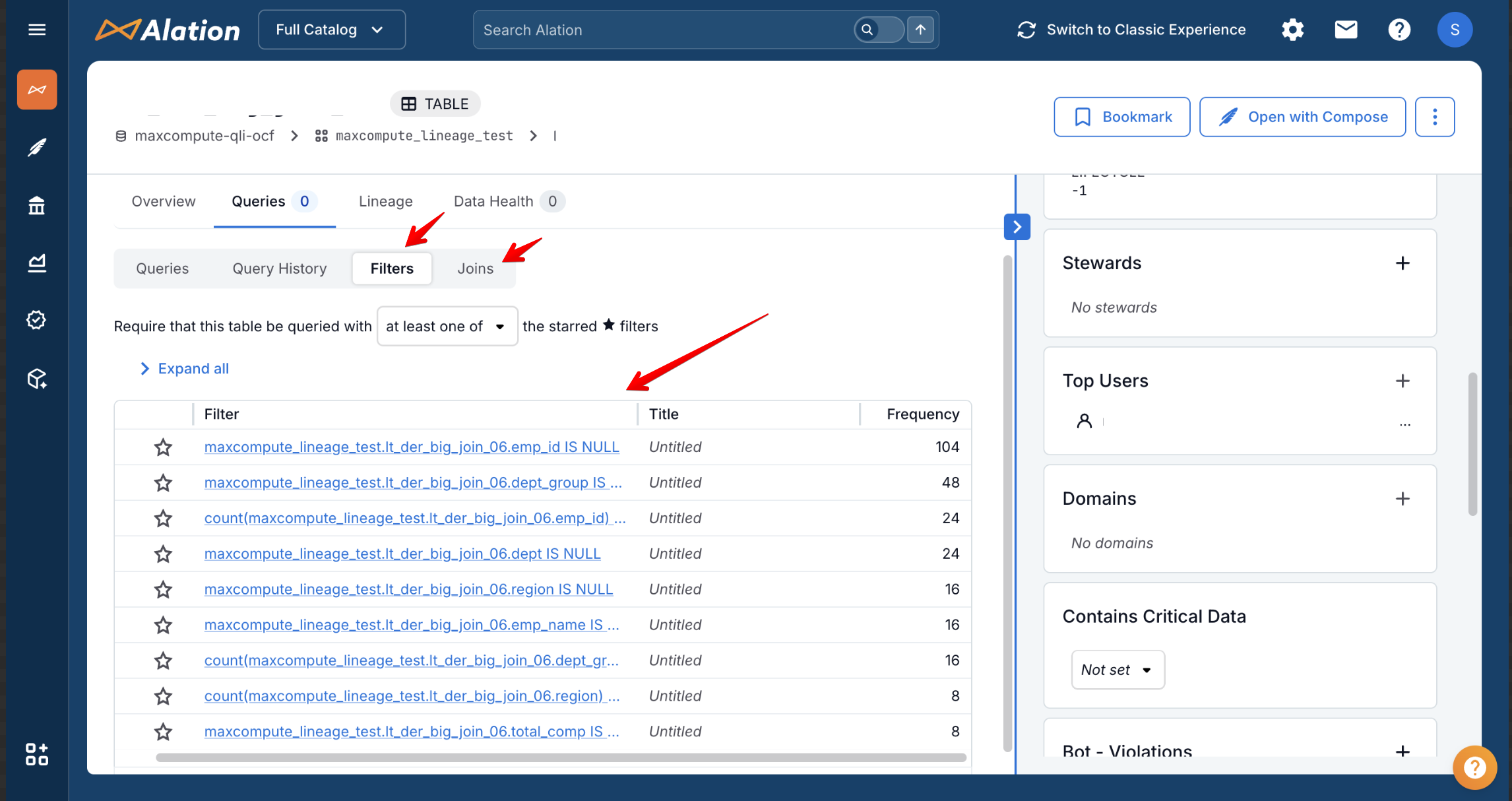
Filters and Joins
The Filters and Joins tabs show which columns are commonly used in WHERE clauses and JOIN operations.
Limitations
QLI extracts only SELECT statements. INSERT, UPDATE, DELETE, and DDL statements are not included.
The
TASKS_HISTORYview retains query history based on your MaxCompute configuration. Older queries may not be available.QLI requires the
infoschema_adminrole, which must be assigned at the tenant level (not project level).Large query volumes may require limiting the date range or query count to manage extraction time.
Troubleshooting
QLI Preview Shows No Results
Verify the RAM user has the
infoschema_adminrole assigned at the tenant level.Check that SELECT queries have been executed within the specified date range.
Ensure JDBC connectivity to the MaxCompute service endpoint (port 80).
Permission Denied Errors
The
infoschema_adminrole must be assigned via the MaxCompute Console under Tenants > Users, not through RAM policies.Verify the role grants access to
acs:odps:*:catalogs/system_catalog/schemas/information_schema.
Queries Missing from Results
Only SELECT statements are extracted. Other query types are excluded.
Check if the queries fall within the configured date range.
Verify project filters are not excluding the relevant projects.