
Alamigo
Alation Cloud Service Applies to Alation Cloud Service instances of Alation
About Alamigo
Alamigo is the in-product support experience for Alation Cloud Service (ACS). It brings instant, trusted answers and contextual troubleshooting inside Alation, so you can resolve issues without leaving the product. If you have case creation access for your tenant, you can also create, view, and manage Alation support cases from the same panel.
Alamigo is available to all Alation users on Alation Cloud Service and provides real-time support by drawing only from Alation’s official documentation and curated internal knowledge. It does not use customer data for AI model training, ensuring privacy-first, secure assistance.
New in 2026.5.1.0: Alamigo is the default in-product support experience for Alation Cloud Service. You can create, view, and manage support cases directly from the Alamigo panel. See Create Support Cases in Alation. The Alation Support Portal in the Alation Help Center is no longer available for Alation Cloud Service customers from this release — see Alation Support Portal for details.
New in 2026.4.1.0: Alamigo now offers contextual troubleshooting across all Alation Cloud Service instances, not just within connector setup and management pages. You can access in-context help directly on any page where errors or configuration issues appear.
Previously, troubleshooting was limited to the General Settings, MDE Configuration, and MDE Job History pages, and only supported a subset of connectors.
What can Alamigo do?
Alamigo helps you get the right answers, faster, by:
Providing immediate, in-context help within the Alation interface — no need to switch tabs or open documentation separately.
Explaining concepts, configuration steps, and best practices clearly and concisely.
Understanding follow-up questions and retaining context for smooth conversations.
Sharing reliable answers sourced from Alation’s trusted knowledge base.
Escalating unresolved issues to Alation Support by creating and managing support cases directly from the Alamigo panel.
Where can I find Alamigo?
You can access Alamigo by clicking the help icon (?) in the Alation header in the new user experience. The Alamigo panel includes a Chat tab for asking questions and getting in-context troubleshooting. If you have case creation access for your tenant, you also see a Cases tab for viewing and managing your Alation support cases.
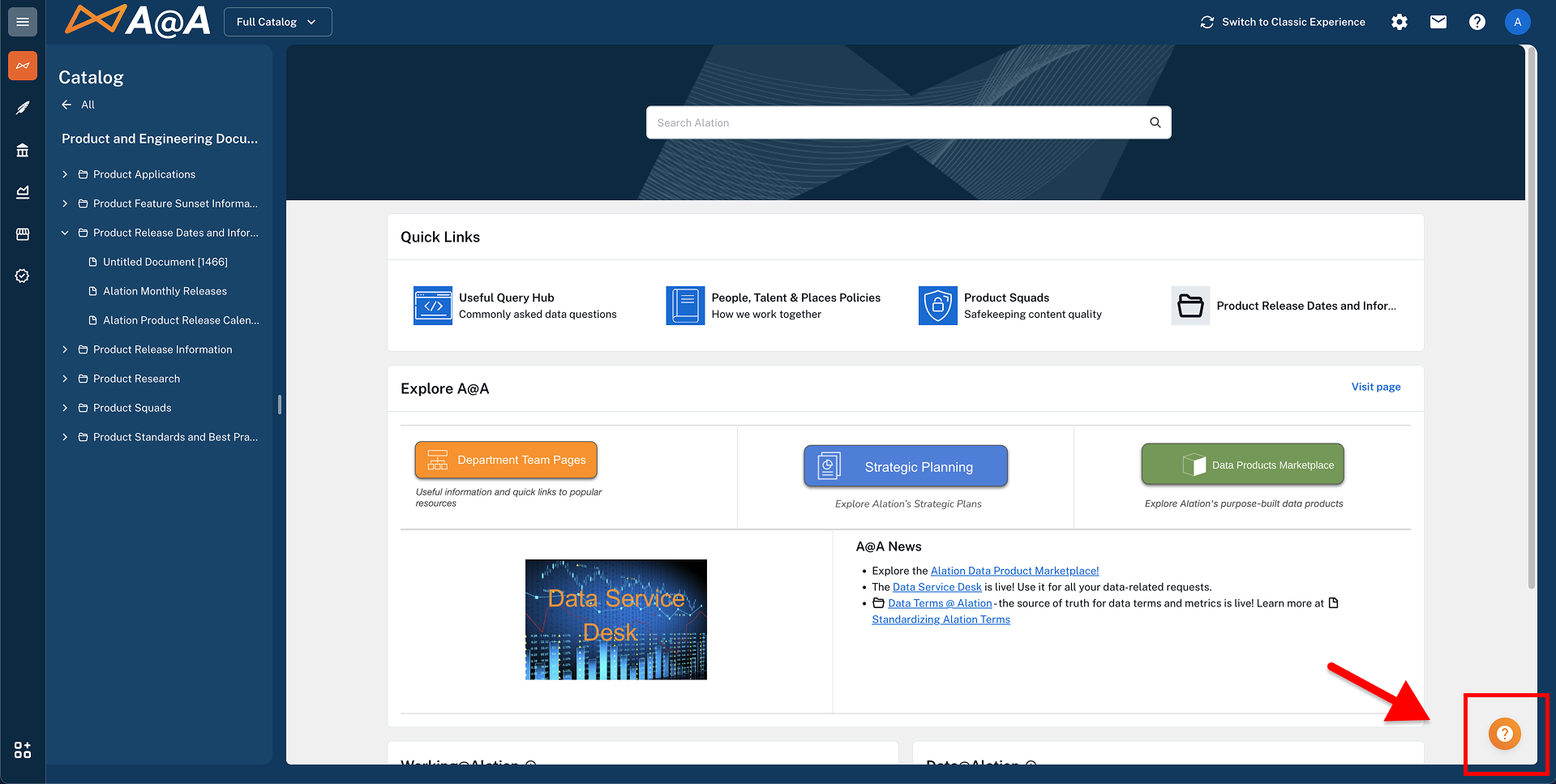
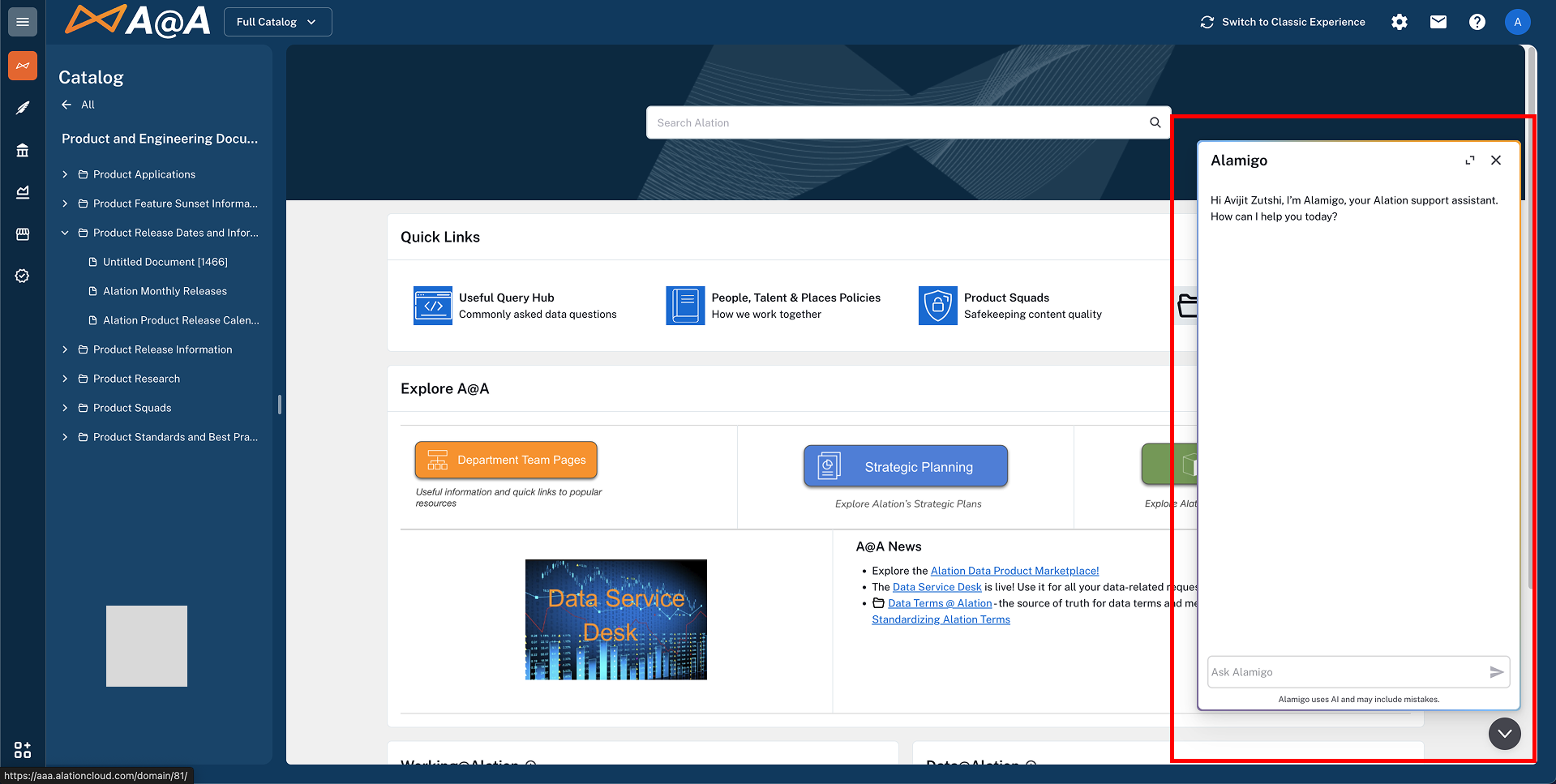
Alamigo is available during connector setup and management for all connectors, in both the new and classic user experience. From release 2026.4.1.0, Alamigo’s contextual troubleshooting is also available on any page in Alation Cloud Service where errors or configuration issues appear — not only connector pages. From release 2026.5.1.0, the Alamigo panel in the new user experience also includes a Cases tab for viewing and managing in-product support cases. See Create Support Cases in Alation.
For connector setup and management, Alamigo provides two ways to help with issues:
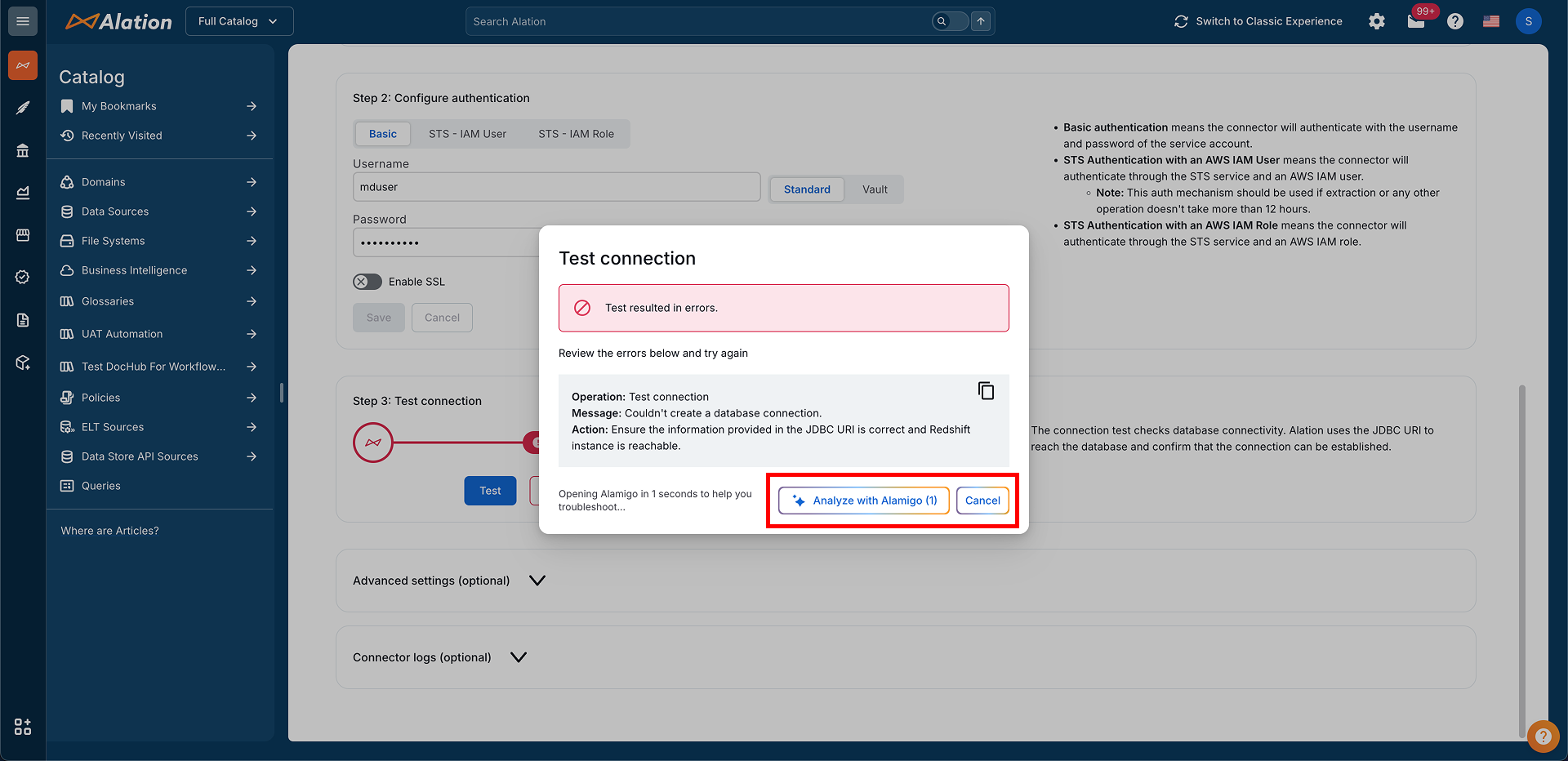
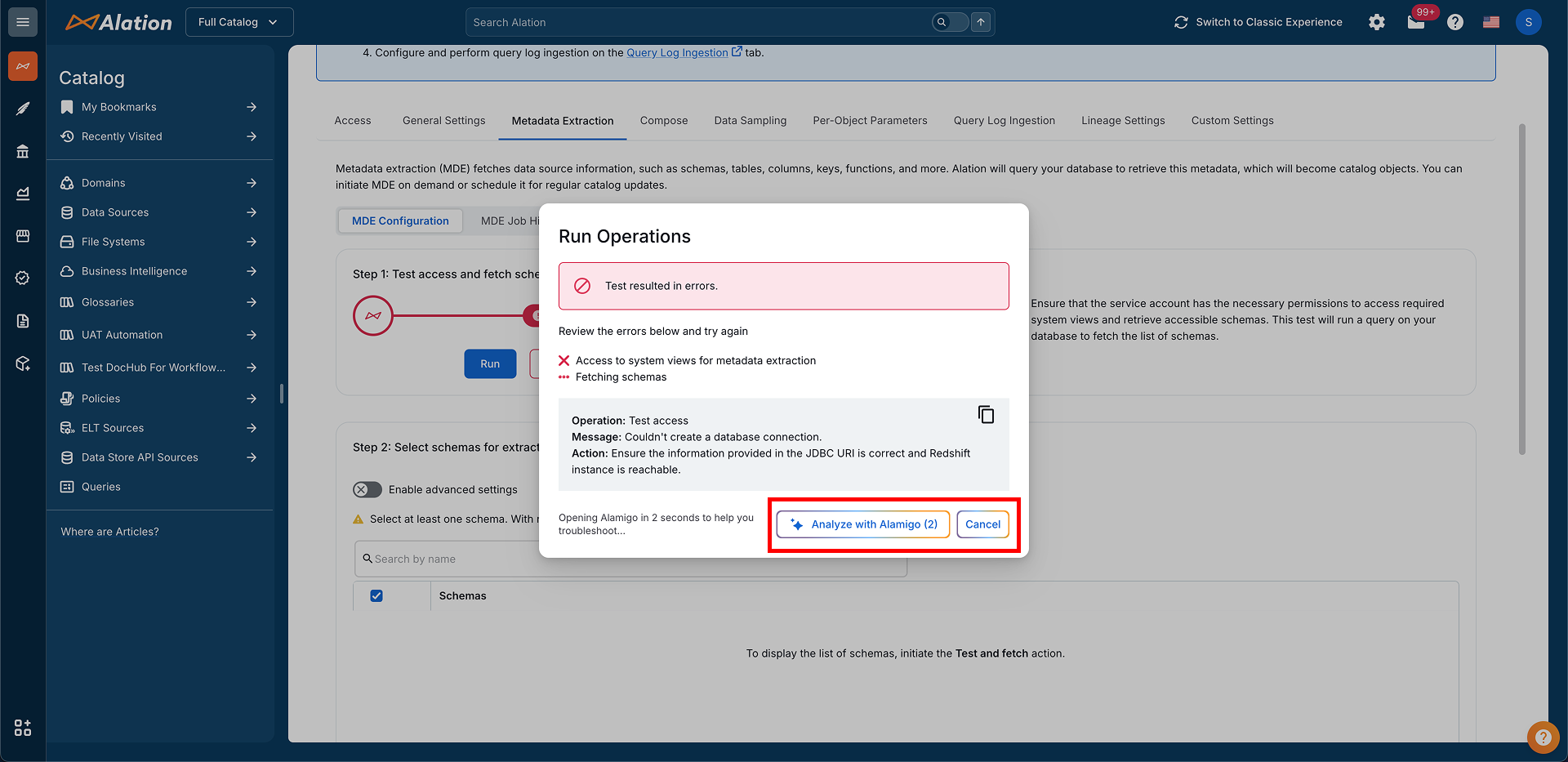
Automatic assistance: On the General Settings and Metadata Extraction > MDE Configuration page, if the Test Connection or Pre-flight Checks are unsuccessful, Alamigo will be launched automatically to troubleshoot and help resolve the error, so you can complete the configuration.
On-demand assistance: For job errors:
Navigate to the Metadata Extraction > MDE Job History page.
Locate the MDE job that is not successful.
Click the button to trigger Alamigo and troubleshoot the issue.
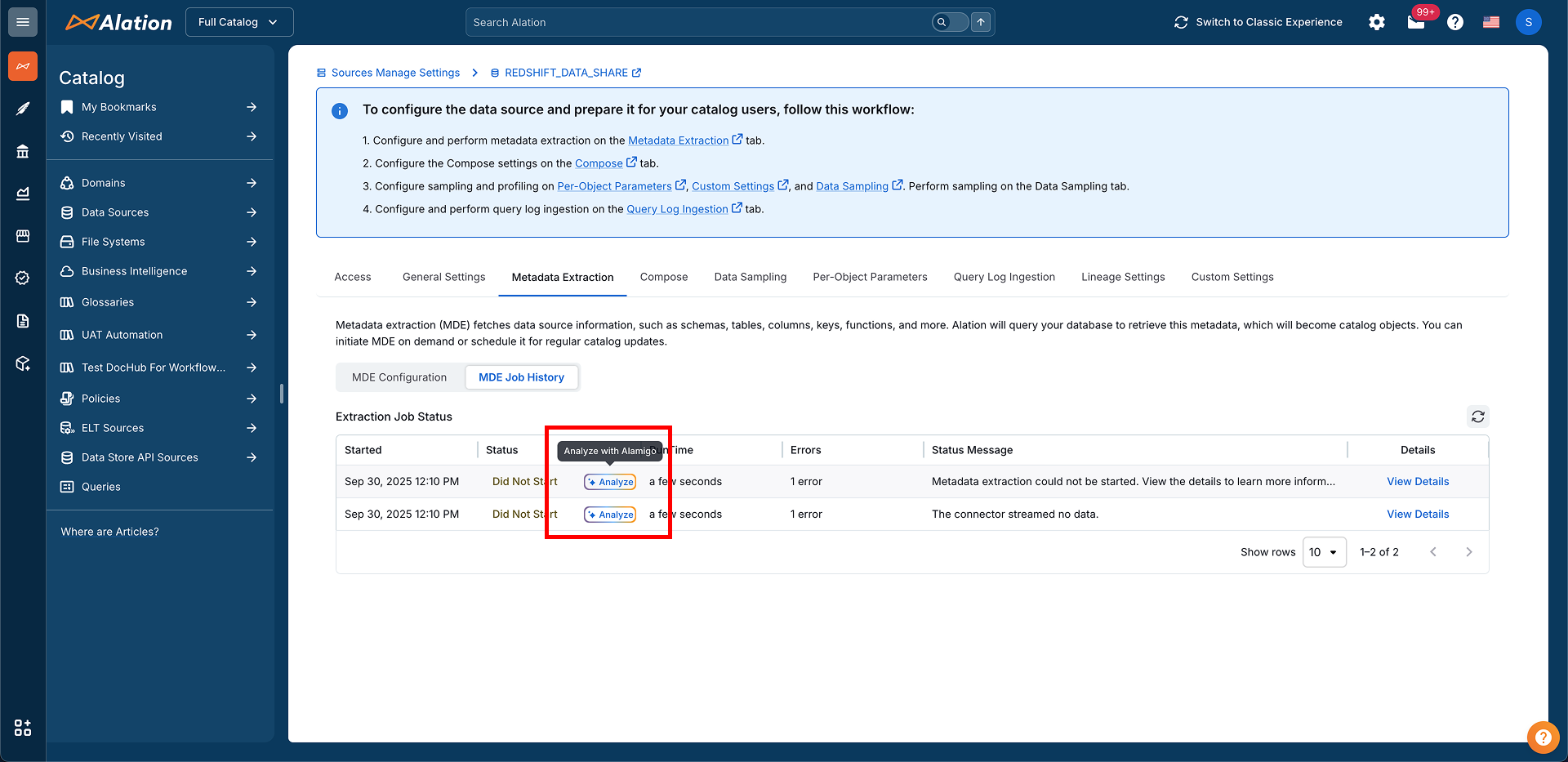
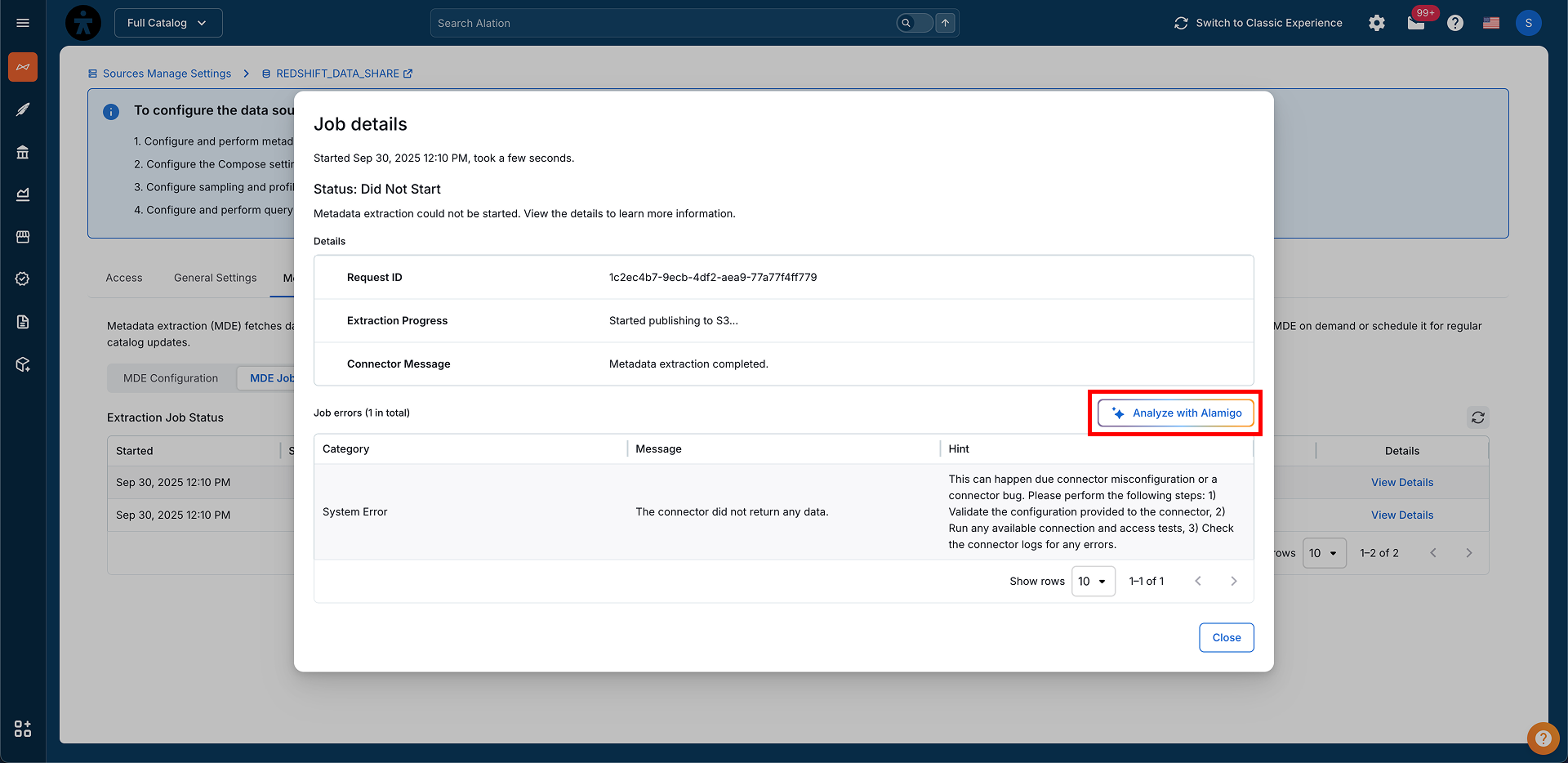
In both the cases, Alamigo understands the error and its context to help you get to a successful configuration faster.
Who can use Alamigo and how to opt out?
Alamigo is available to all users on Alation Cloud Service instances. From release 2025.3.1 through 2026.4.1.0, Alamigo was available only to Server, Catalog, and Source Admins. From release 2026.5.1.0, Alamigo is open to all Alation users. Support case creation and management from the Alamigo panel is available only to users who have been granted case creation access for the tenant — see Create Support Cases in Alation for details.
Alamigo’s role in Alation Cloud Service has evolved across releases:
2025.3.3 — Contextual troubleshooting available for a subset of connectors in the new user experience, on the General Settings, MDE Configuration, and MDE Job History pages.
2025.3.4 — Contextual troubleshooting extended to all connectors in both the new and classic user experience.
2026.4.1.0 — Contextual troubleshooting extended to all pages in Alation Cloud Service where errors or configuration issues appear.
2026.5.1.0 — Alamigo opened to all Alation users and becomes the default in-product support experience, with in-product support case creation and management for users who have case creation access for the tenant.
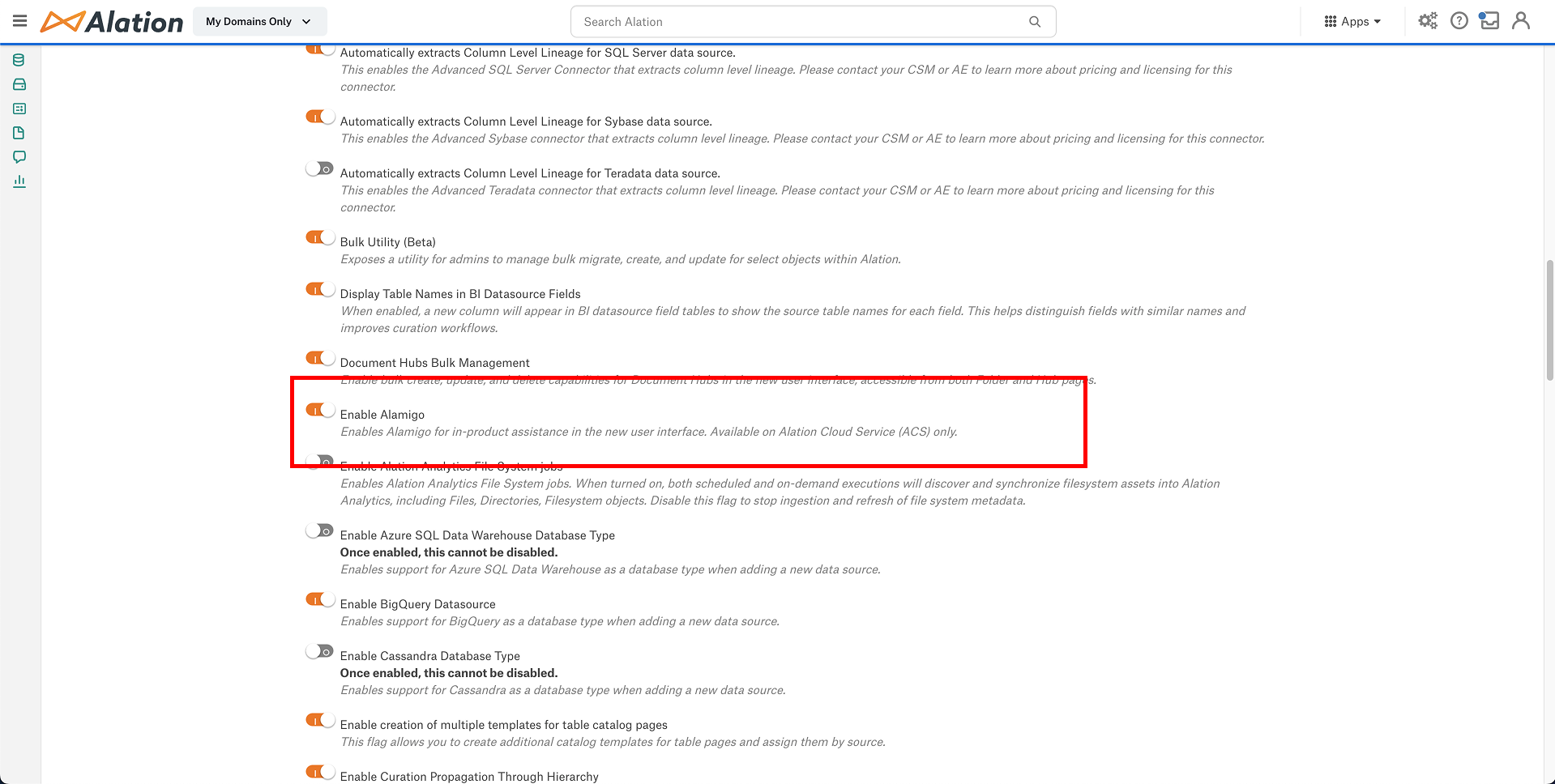
Alamigo is enabled by default. If Alamigo is enabled, contextual troubleshooting will also be active by default. Admins can opt out of Alamigo at any time by navigating to Admin Settings → Feature Configuration → Enable Alamigo and disabling the feature. If you opt out, contextual troubleshooting is no longer available, and you cannot escalate issues into a support case directly from Alamigo. You can still create support cases manually from the Help panel — see Create Support Cases in Alation — but you need to add any context or information yourself.
Alamigo Contextual Troubleshooting
Alamigo provides proactive, contextual support wherever errors or configuration issues appear in Alation Cloud Service.
For connectors, Alamigo helps you troubleshoot issues directly on the following pages:
General Settings
Metadata Extraction (MDE) Configuration
MDE Job History
To diagnose and suggest relevant fixes, Alamigo analyzes the job and error metadata already visible within the product UI. Depending on the page or connector type, this may include:
Connector-specific object names or IDs (for example, Power BI workspace, Tableau project, Oracle schema or table names)
Schema, table, or report names
Error messages returned by connector APIs or drivers (for example, Power BI APIs, Snowflake driver)
Alamigo uses this information only to understand issues and recommend relevant troubleshooting steps. It does not access credentials, content, or query data.
Why can’t I keep using the Alation Help Center for cases?
In-product support, including Alamigo’s AI-assisted troubleshooting, often resolves issues without the need to create a case. When you do need a case, the in-product path is faster because Alation collects environment state (version, deployment type, session context, and errors) at the point of case creation and pre-fills the form. Every Alation Cloud Service case benefits from that context from the start.
Has case submission access changed?
No. The same users who can submit cases today still have that permission. The entry point is moving, but access is not expanding.
Will this case creation flow be added to non-Alation Cloud Service products?
No. The in-product case creation flow is available only on Alation Cloud Service. For Customer Managed deployments, see Alation Support Portal.
What if Alamigo gives me a wrong answer?
You are not stuck. If Alamigo cannot help, it offers to open a support case, gathering context from your chat and pre-filling the form so you do not have to start from scratch.
Will my saved cases or history move?
Yes. All existing cases, history, and views remain accessible. Users with case creation access can still see all cases for their account.
Data Protection and Privacy
Your data privacy remains a top priority.
Alamigo does not use customer data for AI training.
Alamigo may temporarily analyze limited job metadata (for example, schema, table, or other object names and API error messages) only to assist with troubleshooting. This information is not used to train Alamigo or any underlying AI models.
In this context, “analyze” means processing this metadata to generate suggestions and explanations for resolving errors. It does not include storing or using customer data to improve the underlying AI features.
All user interactions are securely encrypted and processed safely.
Answers are generated only from Alation’s curated internal knowledge and official documentation.
Does Alamigo store my conversations?
Yes. Alamigo stores user conversations in encrypted form. Alation does not have access to the contents of individual conversations. Conversations are not used for AI model training, and no conversations are shared externally.
Is any user data used to train Alamigo?
No. Alamigo’s responses are powered exclusively by Alation’s curated internal knowledge sources. Customer data is not used for AI model training, and conversations are stored in encrypted form.
How is my data protected when using Alamigo?
Data privacy and security are top priorities. Alamigo adheres strictly to our organization’s data protection policies and best practices. All interactions are encrypted and handled securely.