
Understand the Metrics
Alation Cloud Service Applies to Alation Cloud Service instances of Alation
Metrics
The metrics section of the execution report provides you with the following data points to understand the result of your curation automation rule:
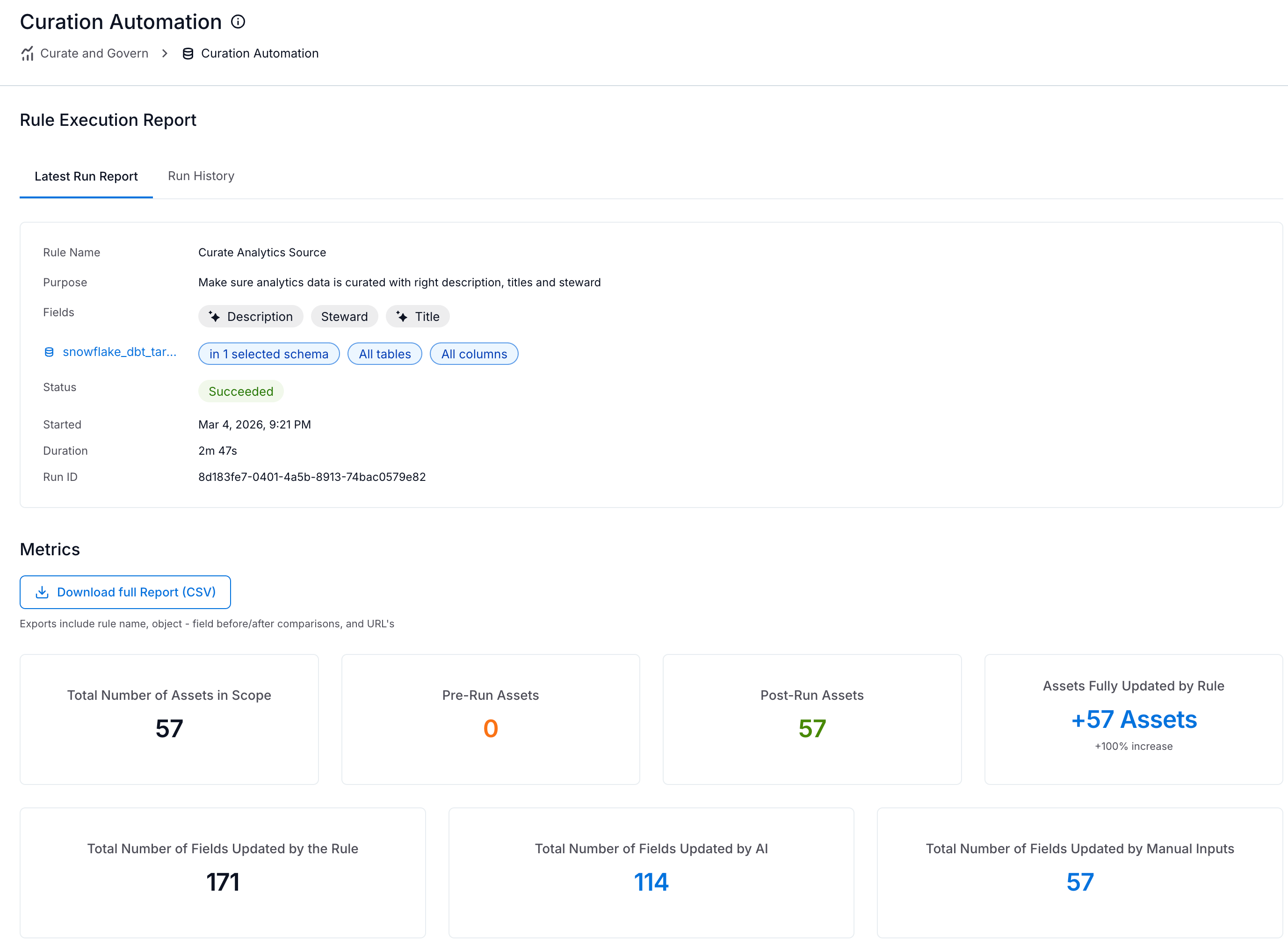
Total Number of Assets in Scope
The total number of data assets included within the defined scope of the rule.
Pre-Run Assets
The number of assets in scope that already had all targeted fields populated before the rule executed. An asset is included in this count if every field selected in the rule contains a value at the start of the rule run.
Post-Run Assets
The number of assets within the defined scope that have all targeted fields populated after the rule completes. An asset is included in this count if every field selected in the rule contains a value (is not null or empty) after the rule execution.
Assets Fully Updated by Rule
The number of assets that transitioned from incomplete to complete. This metric measures the impact of the automation rule by tracking the number of assets that achieved 100% field population completion during the run.
Total Number of Fields Updated by the Rule
The total number of fields updated by the rule across the selected assets.
If the AI generates a suggestion with a confidence score below 75%, the rule automatically skips that field. Consequently, a rule execution may not update every field within the targeted assets.
Total Number of Fields Updated By AI
The total number of fields updated by the AI agent.
Total Number of Fields Updated By Manual Inputs
The total number of fields updated using manual inputs from users.
If the number of fields updated manually is zero, it indicates that all the fields were updated by the AI Agent.