
Configure Lineage
Alation Cloud Service Applies to Alation Cloud Service instances of Alation
Customer Managed Applies to customer-managed instances of Alation
Enhanced Connector Enhanced connectors add extended capabilities and require a separate entitlement in addition to your Alation platform license.
To enable cross-system lineage the upstream connection information needs to be configured. The upstream connection(s) correspond to the source database(s) that feed the Sigma reports, which must already be cataloged by Alation.
Below are the steps to configure upstream connections:
Navigate to your Sigma Cloud connector settings and click the Lineage Settings tab.
Under Manage Connections click the Add Upstream Connections button.
Choose the upstream data source(s) from the list displayed on the right (example: a Snowflake source) and Click Save.
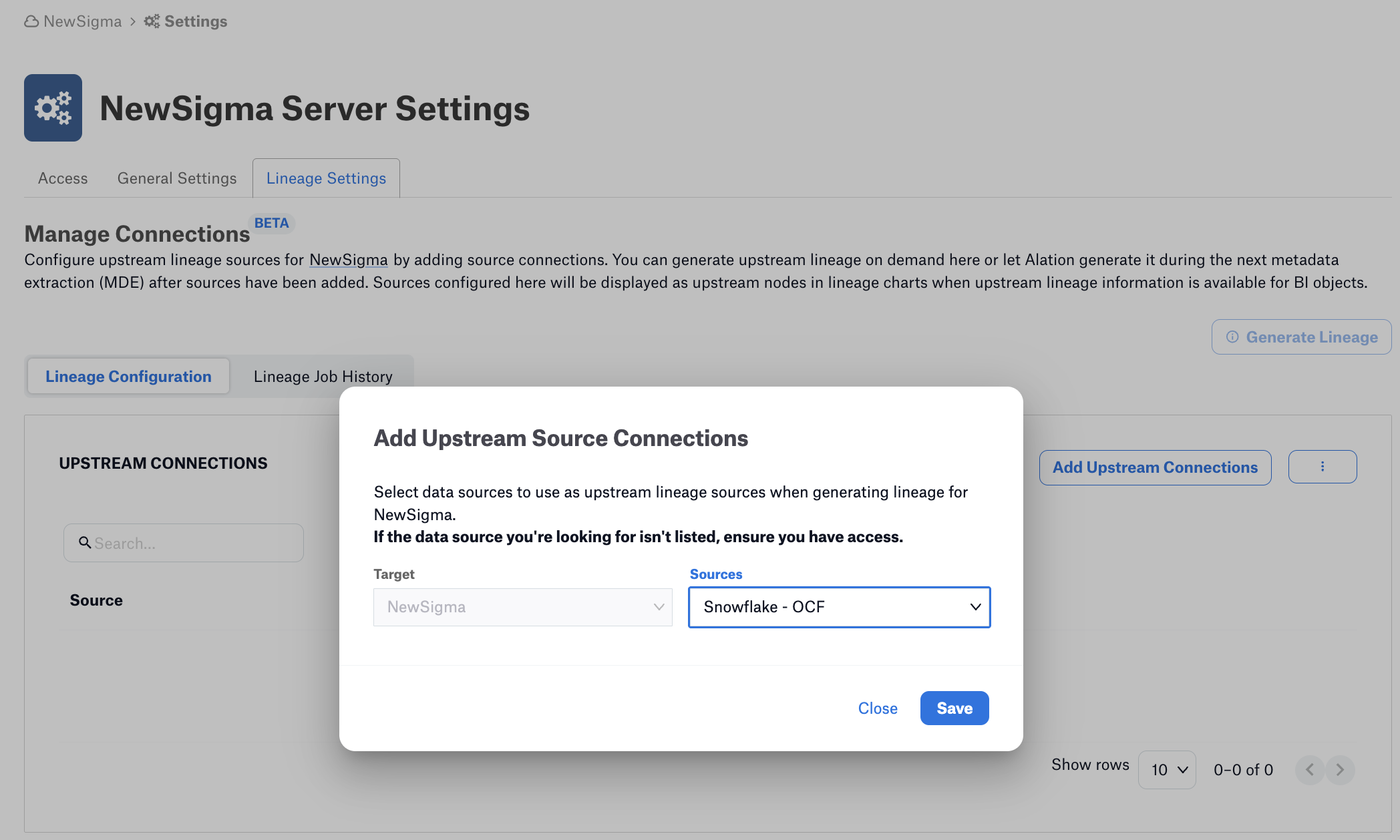
Click Generate Lineage.
Additional data sources can be added as necessary depending on your environment.
Alation will then generate lineage data revealing the pathways between the data source tables and the Sigma reports. Lineage will continue to be collected during subsequent metadata extraction (MDE) jobs.